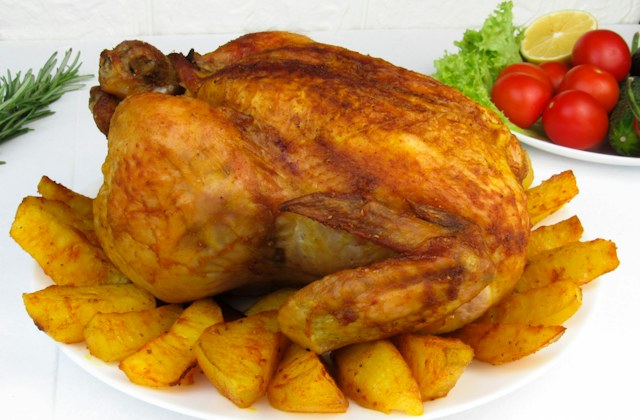
Sunday roast
Roast chicken, golden potatoes & seasonal vegetables
£16.50
FOR RESTAURANTS, PUBS, BARS & CAFÉS
Guests scan, order and pay from their phone. Paid orders reach your kitchen screen or compatible kitchen printers. No app to download.
FROM YOUR GUEST'S PHONE TO YOUR TEAM
Choose a dish, place an order and watch the kitchen pick it up.
Illustrative demo. No real orders or payments.
A little time at the table.
Roast chicken, golden potatoes & seasonal vegetables
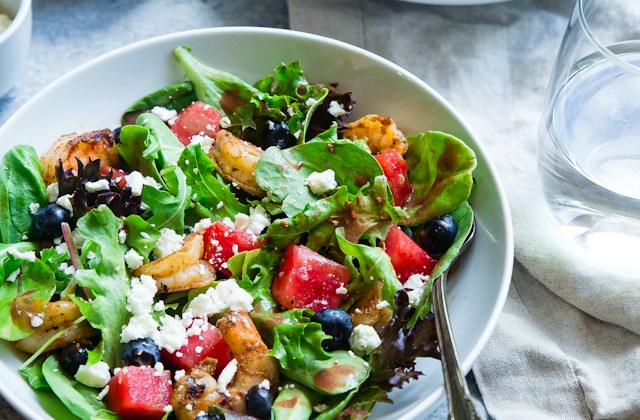
Prawns, crisp leaves, watermelon & crumbled feta
Your table is ready. Add something you fancy.
Paid orders arrive with everything the team needs.
Complete your order on the guest menu to see it arrive here.
Prefer paper? Orders can go to compatible kitchen printers, grouped by menu category.
03 / VENUE CONTROLS
Try changing availability for The Sunday Table. Unavailable items are hidden when guests load the menu.
Explore the guest menu and venue controls. Changes stay in this demo.
LESS BACK-AND-FORTH
Change prices and item availability from your dashboard. Guests see your current menu when they open it.
The order arrives with its table, items and quantities together, ready for your kitchen or bar team.
Guests pay as they order. Your team can focus on preparing, delivering and looking after the table.
BUILT AROUND YOUR SERVICE
Update prices and availability, follow orders through service and choose what each member of staff can access.
Give authorised staff access to full or partial refunds, with a clear record of each one.
A menu, table QR codes and a connected device for your team. Guests order from their own phone, with no app to install.
Use a kitchen display or compatible kitchen printers. Tell us which till and printer you use so we can check compatibility.
Contact us to discuss pricing, setup and support for your venue, including platform and payment-processing fees.
No. Guests scan their table QR code and order in their phone's browser. They don't need to create an account.
Guest payments go to your connected Stripe account through Stripe Connect. Your Stripe account determines payout timing. Ask us about platform and payment-processing fees when discussing your pilot.
Tell us which till and printer you use so we can check compatibility. Printing uses a compatible network printer and a small on-site device that connects it to Bite Relay. Orders don't flow into your till system as standard.
Bite Relay needs an internet connection for orders and payments. Keep your usual backup way of taking orders and payments available during an outage.
Start by telling us about your venue and how service runs today. We'll talk through your menu, kitchen setup, equipment, pricing and support. How long the pilot runs and who handles each part of setup are agreed with you before you commit.
Yes. QR ordering can sit alongside your existing service. Your team stays on hand for questions, accessibility needs and allergy conversations. The menu supports those conversations rather than replacing them.
LET'S TALK ABOUT YOUR VENUE
Tell us how service runs today and we'll show you how Bite Relay would fit your tables, menu and kitchen. During the pilot you get:
We'll agree pricing, setup and support with you before anything starts. Sending an enquiry doesn't commit you to anything.
Prefer email? info@biterelay.com